Last updated: July 4, 2026
Claude Code Artifacts launched in beta on June 18, 2026 — and most coverage you’ll find is already outdated. The big change: as of early July, Artifacts is no longer Team/Enterprise-only. Pro and Max plans can publish them too (with one important catch around sharing). Here’s the current state, tested.
TL;DR: Any paid Claude Code plan can now ask Claude to publish an artifact — a live, private web page on claude.ai built from your session. Team/Enterprise users can share them; Pro/Max artifacts stay private to your account. It’s a capture of work, not an app: 16 MiB max, no backend, no external requests.
What Claude Code Artifacts actually is (and isn’t)
Per Anthropic’s docs, an artifact is “a live, interactive web page that Claude Code publishes from your session to a private URL on claude.ai.” It’s built from your full session context — the codebase, connected MCP servers, and the conversation itself — and it updates in place as the session continues.
Think: a PR walkthrough with the diff annotated inline, a dashboard summarizing deploy failures, a release checklist that updates itself as your session works through it.
What it is not: a deployment tool. Anthropic’s own framing is that an artifact is “a capture of work, not an application.” No backend, no data storage, no auth for viewers, no API calls at view time.
Who gets Artifacts right now: plan-by-plan
| Plan | Publish? | Share? |
|---|---|---|
| Free | ❌ | — |
| Pro / Max | ✅ (since ~July 2) | ❌ — private to your account only |
| Team | ✅ (on by default) | ✅ specific people or whole org |
| Enterprise | ✅ (admin must enable) | ✅ + role-based control |
Details that matter:
- Enterprise: an Owner has to flip the toggle at Settings → Claude Code → Capabilities → Artifacts in the claude.ai admin console. Roles can be scoped further under Settings → Roles.
- Surfaces: the CLI, or the Claude desktop app v1.13576.0+. Pages open in any browser.
- You must be signed in via
/loginto claude.ai. Sessions authenticated with an API key, gateway token, or cloud-provider credentials cannot publish. - Anthropic API only — not available on Bedrock, Vertex AI, or Microsoft Foundry. CMEK, HIPAA, and Zero Data Retention orgs are also excluded.
⚠️ If you read a guide written before July that says “Team and Enterprise only” — that was true at launch and isn’t anymore. Feature availability shifting under your feet is a Claude Code constant — I keep a running log of Claude Code version changes.
Creating your first artifact: a walkthrough
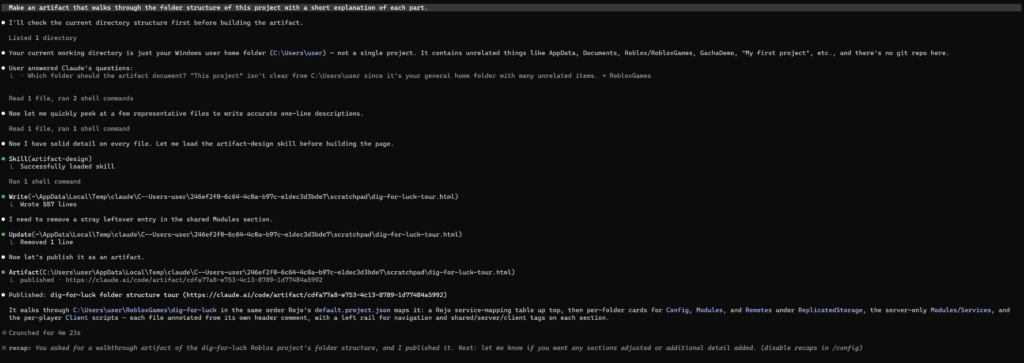
There’s no slash command — it’s prompt-driven. In a session:
Make an artifact that walks through this PR with the diff annotated inline.What happens next:
- Claude writes an
.html(or.md) file into your project. - Before the first publish, it asks permission: Claude wants to publish “…” to a private page on claude.ai. Republishing later doesn’t re-prompt.
- Claude prints the URL and your browser opens it automatically (turn that off with
CLAUDE_CODE_ARTIFACT_AUTO_OPEN=0). Ctrl+] reopens the latest artifact from the terminal.
To update it, just keep working and ask Claude to revise — same URL, new version. One gotcha: cross-session updates need the artifact URL pasted in, otherwise a new session creates a brand-new artifact.
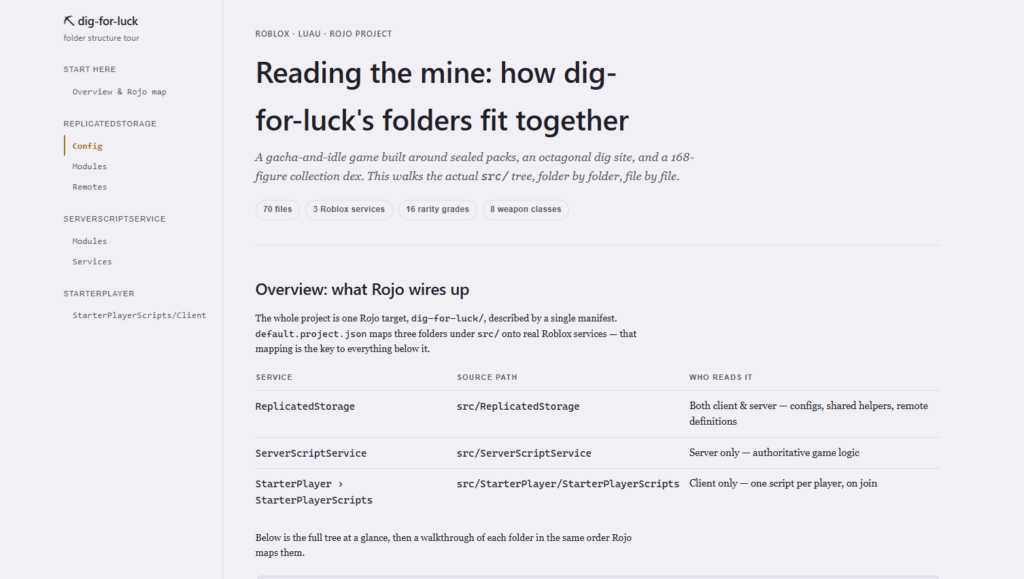
Claude also honors your design system: design tokens in CLAUDE.md or theme files take precedence over its defaults (your explicit prompt beats both).
The limits you’ll hit: 16 MiB, CSP, no backend
These are hard constraints, straight from the docs:
- 16 MiB rendered page cap. Oversized embedded images are the usual publish-failure cause — everything (CSS, JS, images as data URIs) is inlined into one page.
- Strict CSP: no external scripts, stylesheets, fonts, or images;
fetch, XHR, and WebSockets are blocked. The page cannot phone home. - No backend: forms don’t store input, nothing authenticates viewers, no view-time API calls.
- Single page: relative links don’t resolve — multi-section content means in-page anchors.
- Viewers load pages from a sandboxed
*.claudeusercontent.comorigin; locked-down corporate networks need that allowlisted alongside claude.ai.
If a publish silently fails, check the size first — and know that when requirements aren’t met, the feature degrades to just writing a local HTML file.
Version history, gallery, and sharing
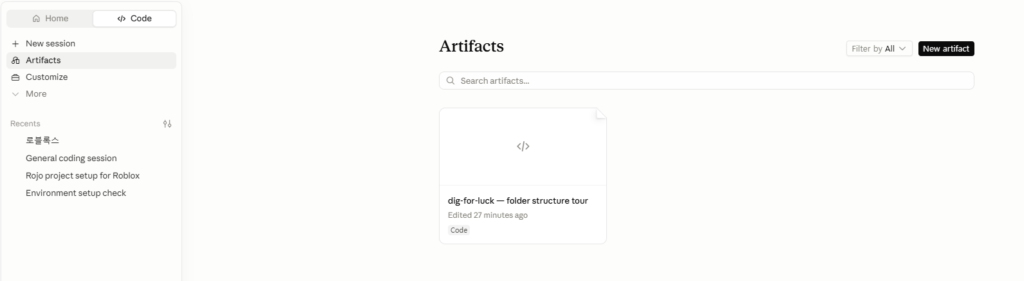
- Every publish creates a new version at the same URL; you can restore any prior version, and a share control decides whether viewers see a pinned version or “always latest.”
- Your gallery lives at claude.ai/code/artifacts.
- Sharing (Team/Enterprise only): specific people or your whole org, view-only. There are no public links, period — viewers must be signed-in members of your org. Need to send one outside? Ask Claude for the raw HTML file instead.
Does it cost extra?
No separate fee — but it’s not free in tokens. Official docs: “Generating an artifact uses output tokens like any other response, and a styled page is more token-intensive than the same content as terminal text.” The drivers are inline CSS/JS and data-URI images. If you’re watching your usage limits, prefer SVG over raster images and skip interactivity you don’t need.
How this differs from claude.ai chat Artifacts
Same name, different animal:
| Chat artifacts (claude.ai) | Claude Code artifacts | |
|---|---|---|
| Since | 2024 | June 2026 (beta) |
| Plans | All, incl. Free | Paid plans only |
| Built from | The chat | Your repo + MCP + session |
| Sharing | Public links possible | Org-only, never public |
| Dynamic features | Can call AI, 20 MB storage | Fully static |
Artifacts vs just pushing a preview deploy
Honest take: if you already have Vercel/Netlify previews wired up, artifacts won’t replace them — previews run your actual app. Where artifacts win is the explanation layer: things you’d otherwise write in a wall of Slack text. A PR walkthrough for a reviewer who doesn’t want to check out the branch. A “what broke in this deploy” summary pulling from your MCP-connected monitoring. A live checklist during a long refactor session.
The tell: if the page needs to do something, deploy it. If it needs to show something from a working session, artifact it.
FAQ
Is there a slash command? No — describe what you want in plain language, or Claude may offer one proactively.
Can I turn it off? Yes: "disableArtifact": true in settings, CLAUDE_CODE_DISABLE_ARTIFACT=1, or add Artifact to permissions.deny.
Can free users view a shared artifact? Sharing is org-membership-based (Team/Enterprise). Pro/Max artifacts can’t be shared at all yet.
Does it work in the VS Code extension or Claude Code on the web? Publishing is documented for the CLI and desktop app (v1.13576.0+). Pages themselves open in any browser.
WorkflowDen is an independent site, not affiliated with or endorsed by Anthropic, PBC. Tested on my own machine — version numbers visible in screenshots.