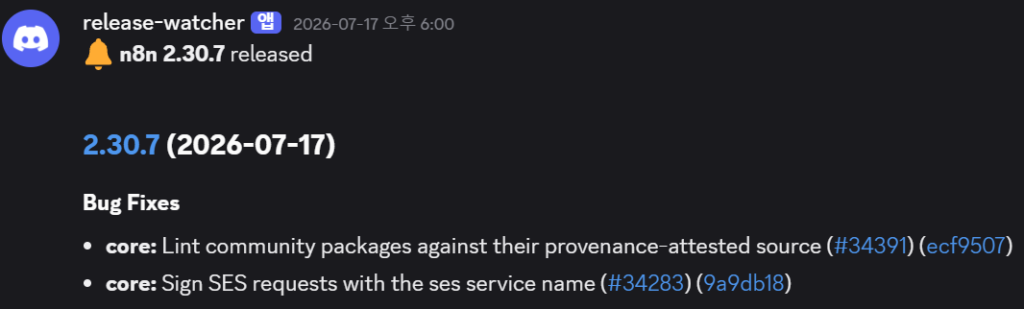
My Discord told me before the docs did. On July 16 my release watcher posted that n8n 2.30 had become the new stable — and the next evening it followed up with 2.30.7, because patch releases in this project come fast. The official release notes page for 2.x now carries a “this page is no longer updated” banner, so here’s what actually changed, what it means if you self-host, and the full log of my own upgrade — which took about two minutes.
The two-minute upgrade (Docker Compose)
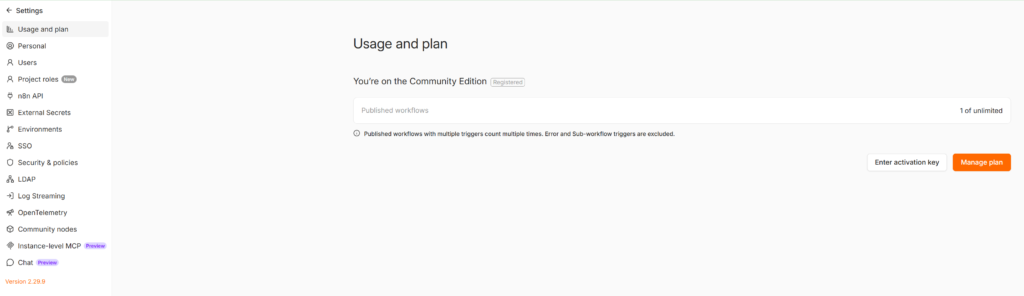
My setup is the one from my Windows install guide: single container, named volume, Docker Desktop. I was on 2.29.9:
The upgrade is three commands:
cd C:\n8n
docker compose pull
docker compose down
docker compose up -d
In my run: the pull took 94 seconds, the down-and-up took under two.


Refresh the browser, log back in — everything survived:
- All my workflows intact, the published ones still published
- Data Tables intact (my
release_stateanddead_lettertables kept every row) - The free registered-community license carried over
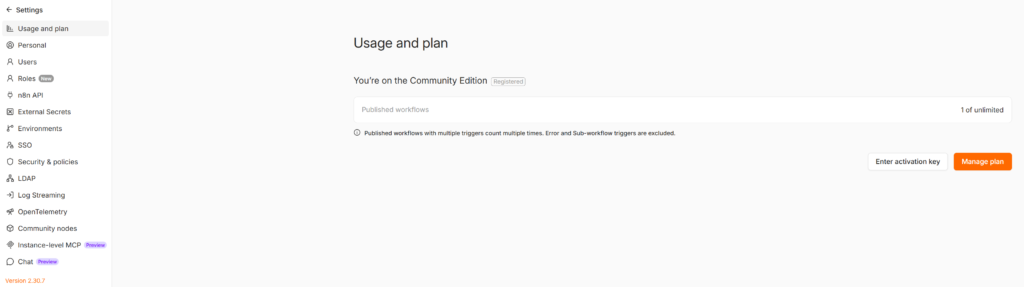
One small UI change you’ll notice immediately: Settings → “Project roles” is now just “Roles”.
The change self-hosters actually need to know: N8N_WEBHOOK_URL
2.30 introduces a unified N8N_WEBHOOK_URL environment variable covering both production and test webhook URLs. If your compose file sets the older webhook URL variable — most reverse-proxy setups do — your configuration keeps working, but new guides and docs will reference the unified variable, and this is the direction the project is going. Worth a note in your compose file today so future-you isn’t confused by tutorials that no longer match your env block.
If you run n8n purely locally like me (no external webhooks reaching localhost anyway), nothing to do.
The rest of 2.30, grouped by who cares
Telegram bot builders: the Telegram Trigger’s chat ID and user ID filters now apply to all update types, not just messages. If your bot filter was leaking reactions or edits through, that was this — and it’s fixed without any workflow change.
Security-minded setups: the Webhook node now correctly returns 401 on failed basic auth, and Kafka connections gained mTLS support.
Microsoft shops: Entra Service Principal (app-only) authentication extended to Excel 365, Teams, and To Do nodes — service accounts instead of personal logins.
Data Tables users: pagination now guarantees stable ordering, CSV upload validation got stricter, and reserved column names are blocked at creation. If you’ve built on Data Tables like my error-handling patterns do, no breaking changes in my testing — all my Get/Upsert/Update nodes ran unmodified.
AI Agent node users: a batch of memory and parallel tool-call fixes landed. I don’t run heavy agent workflows yet, so I can’t vouch for these from experience.
My upgrade checklist (steal it)
- Check the release notes for breaking changes (the GitHub release page, since the docs page is archived)
- Confirm your data lives in a named volume (
docker compose config | findstr volumes) - Pull, down, up — the three commands above
- Verify: version number, workflows still published, one manual execution of your most important workflow
- If something breaks:
docker compose down, pin the previous tag in your compose file (image: docker.n8n.io/n8nio/n8n:2.29.9), up again — that’s your rollback
That last line is the quiet argument for pinning versions in production. On my home instance I ride latest; on anything serving real traffic I’d pin and upgrade deliberately.
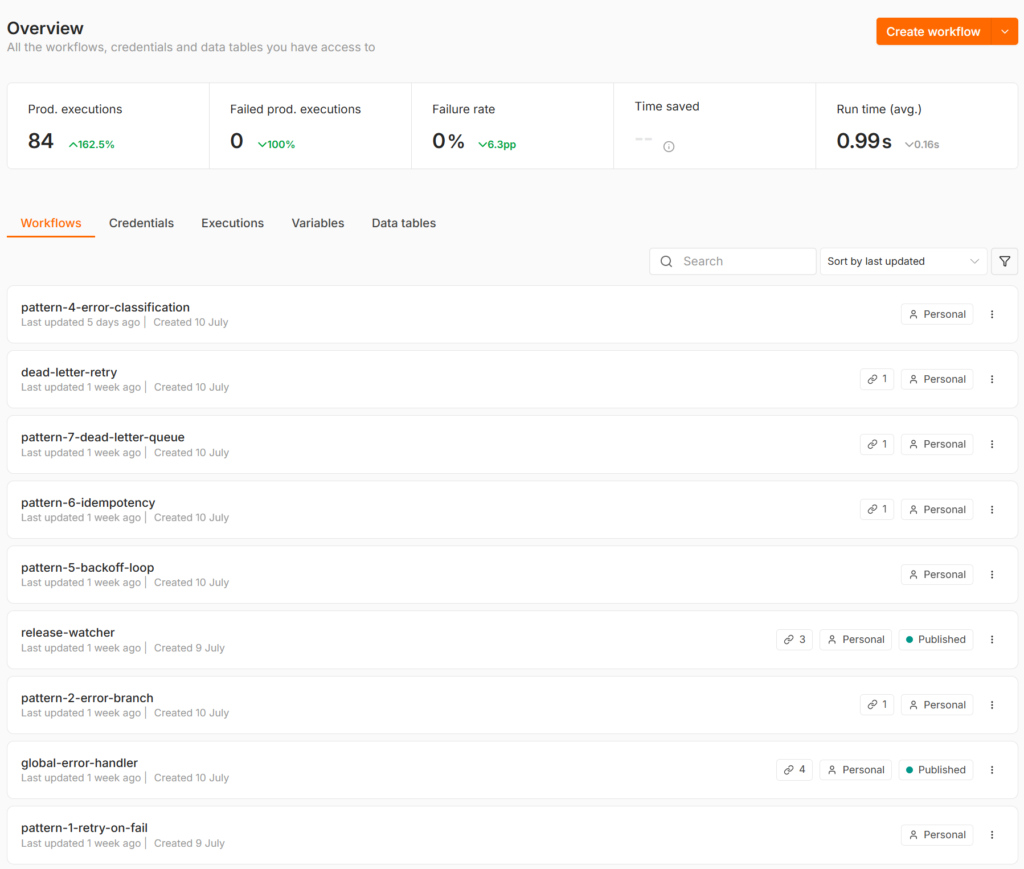
My instance came through with a week of unattended production runs and a zero percent failure rate:
The watcher that told me about this release is a workflow you can download, and the install this all runs on is a 30-minute setup. Next n8n stable, same three commands.
This site isn’t affiliated with n8n GmbH, or any tool covered here. The upgrade log, timings, and screenshots are from my own instance.